


Booking a LinkedIn Portrait photo booth for corporate branding is quickly becoming a standard part of event planning in Singapore, whether it’s for conferences, product launches, or company town halls. It’s no longer just a “nice-to-have” or a novelty. Instead, it solves a very real problem: how do you give every attendee a clean, professional, on-brand headshot without pulling them away from the event itself? For companies that used to treat headshots and event coverage as two separate bookings, a corporate branding photo booth brings both together into one seamless setup that guests genuinely want to visit.
This article breaks down how a QR-enabled portrait booth works at corporate events, why it doubles as a professional headshot solution, and how it complements full event photography and event videography coverage.
What A LinkedIn Portrait Photo Booth For Corporate Branding Actually Solves
Most companies don’t lack photos of their events. Rather, they lack usable ones. Wide shots of a networking crowd are fine for a recap deck, but they rarely give individuals a clean, on-brand photo they would actually put on LinkedIn or the “About Us” page on the company website.
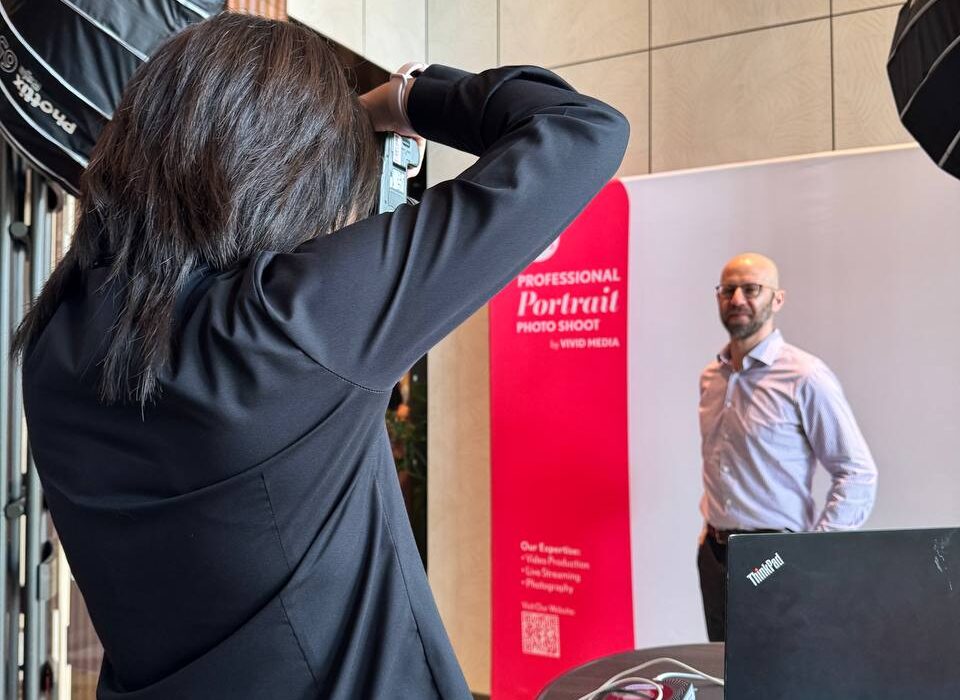
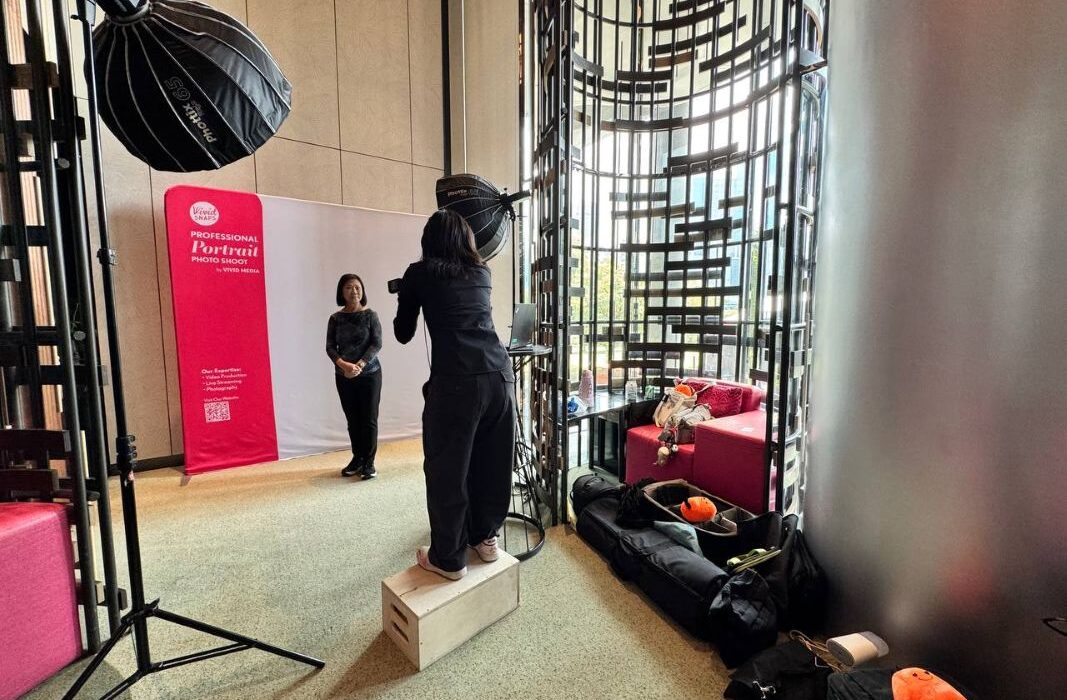
A LinkedIn Portrait photo booth for corporate branding is designed to solve that problem. Instead of relying on candid shots, the booth acts as a dedicated portrait station. It is set up with proper studio lighting, a branded backdrop, and a photographer guiding each guest for a few seconds. The result is similar to what one can expect from a scheduled corporate headshots session, just streamlined into a quick, walk-up experience that fits naturally within an event.
The QR-enabled element is what makes the whole system efficient. Guests don’t have to queue at a laptop or wait days for a gallery link. Each portrait is matched to the guest and delivered by scanning a QR code on the spot, so they leave the booth with a usable photo before the event is even over.
How A QR-Enabled Portrait Booth Fits Into An Event Run Sheet
From a planning perspective, the booth typically sits near registration or a high-traffic area. Visibility is more important than technical placement here, because if people see it, they will use it. A few operational points worth flagging for anyone planning this into an agenda:
- Setup time: The booth is built as a self-contained station, with its own backdrop, lighting, and photographer. It doesn’t require a separate room, just a space with access to power.
- Throughput: While each portrait can be captured in seconds, actual processing speed depends on attendee engagement. Some guests may take extra time for retakes or adjustments, but the booth’s streamlined workflow should still support a steady flow of participants over multi-hour events without significant delays.
- Branding Integration: The booth features a clean white backdrop for professional consistency, complemented by a customizable frame or banner that can be styled in company colours and logos. If your event has an established colour palette, logo lockup, or hashtag, sharing these ahead of time means the backdrop and delivery screen can be built to match rather than defaulting to something generic.
For events with multiple sessions or breakout tracks, it is often more effective to run the book during peak periods like registration and lunch, when foot traffic is naturally highest.
Who This Works Best For
Not every event needs a dedicated portrait station, so it is worth being clear about where it actually adds value. Generally, a LinkedIn Portrait photo booth for corporate branding works best for professional company events where there’s a mix of attendees, a steady flow of foot traffic, and a genuine need for polished, individual portraits.
Some common scenarios where it fits naturally include:
- Larger internal company events, like town halls or all-hands sessions, where there’s an opportunity to refresh staff headshots without the logistical challenge of scheduling individual studio appointments.
- Client-facing events, including product launches, networking sessions, or conferences, where both attendees and speakers can benefit from a clean, on-brand portrait tied to the event.
- Recurring or flagship events, where the booth becomes a planned, repeatable part of the run sheet rather than a one-off addition.
- Higher-traffic professional gatherings, where having a fixed portrait station gives guests a clear, convenient touchpoint to get a photo taken throughout the event.
With that being said, this is not a one-size-fits-all solution. For smaller, more intimate events, like a 20-person workshop or a closed-door session, a scheduled headshot shoot is often the more practical option. In those cases, a full booth setup can feel unnecessary, and we would typically recommend a simpler approach that better fits the scale and format of the event.
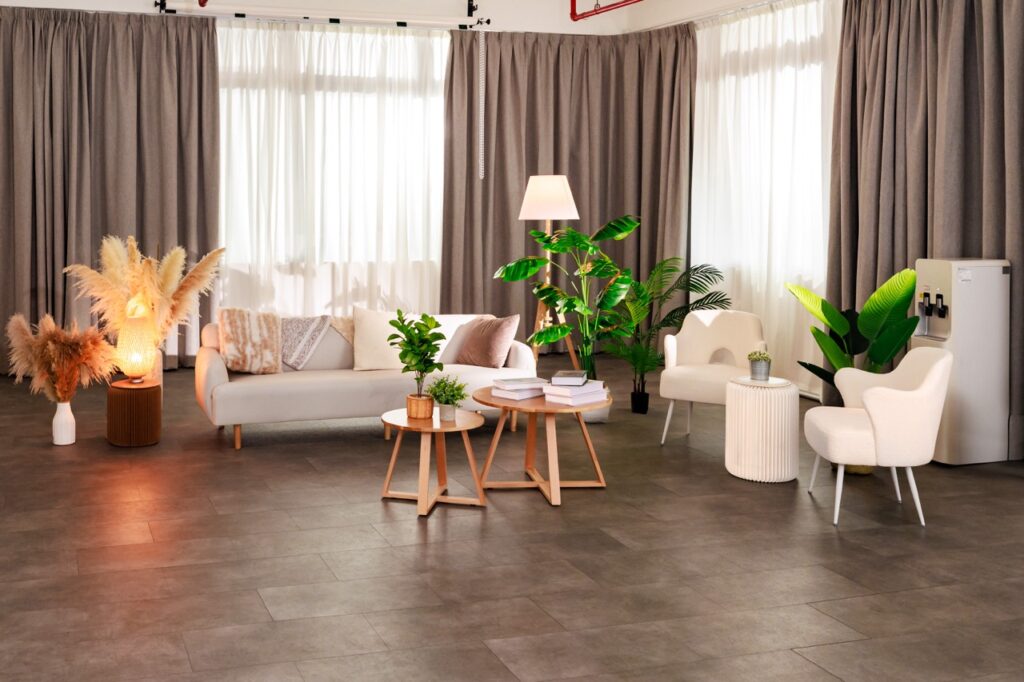
At Vivid Media, our team of experienced photographers ensures that every individual corporate portrait reflects your brand’s personality and professionalism. Our studio is designed for professional photography. Located at Kallang Place, the space comfortably accommodates individual sessions and small groups, with a neutral white backdrop that ensures a polished, consistent look. We offer several setup options: from tall chairs with a high table, to sofa arrangements, to individual armchairs, giving flexibility for different styles of portraiture. This makes our studio ideal for capturing corporate headshots in a professional yet comfortable environment.
Amplifying Your Event In Real Time With AI Face Recognition
Alongside the portrait booth, Vivid Media also offers an AI face recognition photo gallery for events, which solves a different problem: helping guests find themselves in the broader event photography, not just their booth portrait. Rather than scrolling through thousands of photos from a multi-day conference or several breakout sessions, guests scan a QR code, take a quick selfie (or select a photo of themselves) within a secure gallery browser, and the system surfaces every shot they appear in. For event organisers, this matters most while the event is still running: the faster guests can find and post their own photos on LinkedIn, the more organic reach and momentum the event gets in real time, rather than relying on a recap gallery sent out days later. This works especially well for large-scale conferences, where the volume of photos would otherwise make manual searching impractical.
Insights From The Vivid Media Team
What do you say or do to guide someone who’s awkward in front of the camera?
Cherish Kang, Media Creative: “When it comes to guiding someone who feels awkward in front of the camera, my approach is often less about technical direction and more about helping them feel at ease. I try to make small talk or crack jokes while adjusting or setting them up for the frame, so they’ll feel more comfortable. I also ask them to take slow deep breaths with me to relax their nerves and affirm them that they’re doing great. If they’re way too stiff with their posing, I do step-by-step posing and have them mirror my movements. It’s also important to keep my tone light and cheery so they don’t feel discouraged.”
How do you deal with tight spaces or poor booth placement?
Cherish Kang, Media Creative: “Working with tight spaces (more confined environments) means that my lighting options are limited. I make sure to bring a wider lens, and position my lights as far from the backdrop as possible to minimise harsh shadows. From there, I play around with the light settings to ensure I still get my desired lighting to maintain a consistent and flattering look. Even when the booth placement isn’t ideal, my focus is on making the best of the situation and ensuring the final output still meets quality expectations.”
How do you manage peak crowd periods without slowing everything down?
Cherish Kang, Media Creative: “Peak periods at photobooths can be overstimulating, especially when there’s clearly a long line. It helps when my assistant guides the next person in queue to me while guiding the previous person on how to get their photos. This keeps the flow going while I can focus on guiding my subject and taking their photos. I would not have managed on my own; having an assistant during peak periods is super important. I would say that this division of roles keeps the process efficient and prevents bottlenecks, which allows a steady stream of attendees to move through the booth without compromising the experience.”
Have you ever had to manage difficult guests or unrealistic expectations?
Cherish Kang, Media Creative: “Handling difficult guests or unrealistic expectations definitely requires a balance of professionalism and clear communication. Some guests may request enhancements or edits beyond what the setup offers, like AI alterations or heavy retouching. In these situations, I would often explain that the booth operates as a studio portrait setup with instant delivery, meaning that the images are not edited and are provided as-is. So, by setting this expectation clearly, it helps to manage requests while maintaining the integrity of the service and ensuring a consistent experience for all attendees.”
Beyond The Booth: Full Event Photography And Videography Coverage
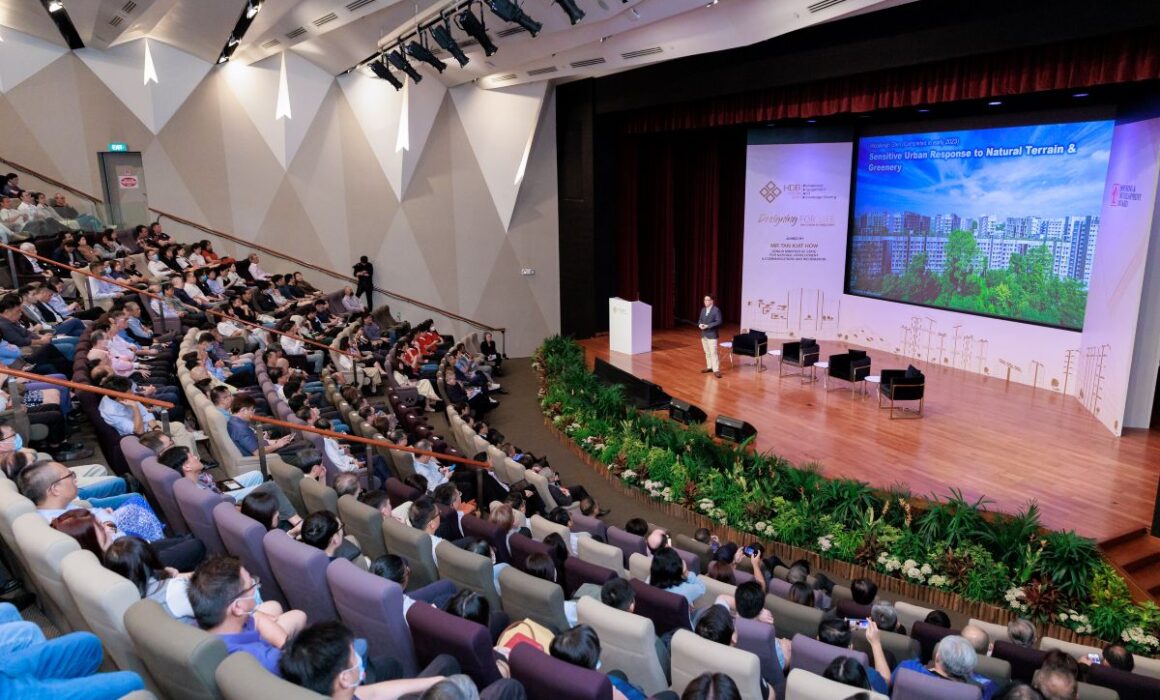
Most events still require broader coverage, from keynote moments and panel discussions to audience interactions and the overall atmosphere. Because of that, it can be practical to consider event photography and event videography alongside the booth, rather than as entirely separate arrangements.
Running them together comes with a few straightforward advantages. For one, there tends to be a more consistent visual style across the recap gallery, highlight footage, and individual portraits, since the same team is working with similar editing approaches. There is also a single point of coordination on site. That means one producer managing the photo booth queue, the roaming photographer, and the videographer, rather than three separate vendors.
For large-scale conferences and MICE events specifically, Vivid Media has supported multi-day productions where the booth ran alongside full-day photo and video coverage, managed by an on-site producer. In these settings, the LinkedIn Portrait photo booth for corporate branding becomes part of the planned program instead of an afterthought.
Frequently Asked Questions
How fast is delivery from a QR-enabled portrait booth?
Portraits are typically ready within about 1 minute of the shot being taken, delivered to the guest’s phone via a QR code scan on the spot. It’s fast enough to collect before moving on, though not instantaneous in the strictest sense.
Is a LinkedIn Portrait photo booth for corporate branding suitable for large conferences?
Yes. A LinkedIn Portrait photo booth for corporate branding is designed to handle steady walk-up traffic, which makes it well-suited for larger conferences. For multi-day or multi-track MICE events, the booth is often run alongside full event photography and event videography coverage, with an on-site producer coordinating everything to keep the setup running smoothly.
Is a LinkedIn Portrait photo booth for corporate branding different from a regular corporate headshots session?
The lighting and posing approach is similar to a standard corporate headshots session. The main difference lies in the format. This means that it’s designed for higher throughput, allowing a continuous flow of attendees to be photographed during an event, rather than relying on pre-booked individual time slots.
Do we need to book photography and videography separately from the booth?
No. They can be booked as one coordinated engagement, which tends to produce a more consistent visual style across your recap content and individual portraits. Contact our team to find out more!
Getting Your Next Event Covered
A LinkedIn Portrait photo booth for corporate branding works best when it’s planned as part of your event’s overall visual coverage, not as something extra on the side. Whether you need the booth on its own, or want it paired with full event photography and event videography coverage for a conference or town hall, our team can scope the setup around your run sheet and attendee numbers. For a broader look at how instant-delivery photo experiences work across different event formats, see our article on the AI Photo Booth With Instant Delivery.


