




If you have never sent an enquiry for hybrid live streaming production before, it is normal to feel unsure about what to include. Most clients don’t have every detail confirmed when they first reach out. You might still be deciding on a venue, estimating how many people will join virtually, or wondering whether you need one camera or a full multi-camera setup. You don’t need to know what an NDI encoder or a switcher does before you contact a production company.
But what’s important is giving your production team enough information to understand what you’re planning, identify any potential technical issues, and recommend the right setup.
This article explains what to include when you enquire for hybrid live streaming production, what producers need to know before they can put together a quote, and what you should ask your live streaming provider in return. Instead of a generic checklist, we have based this on the questions Vivid Media’s producers actually ask when clients enquire for hybrid live streaming production.
What Is Hybrid Live Streaming Production
A hybrid live streaming production covers an event with two audiences at once. First, the people attending in person and second, the people watching or participating remotely. This means your production has to work on two levels. The people in the room need a good experience with clear audio, visuals and presentations, while the virtual audience needs a reliable live stream with good camera coverage, sound and online interaction.
We typically see hybrid live streaming used for:
- Corporate conferences
- Hybrid town halls
- Product launches
- Annual General Meetings (AGMs)
- Multi-day MICE events
- Internal company events
The important thing is that both the physical and virtual experiences need to be planned together. This is why the information you provide in your initial enquiry can make such a difference.
What To Include When You Enquire For Hybrid Live Streaming Production
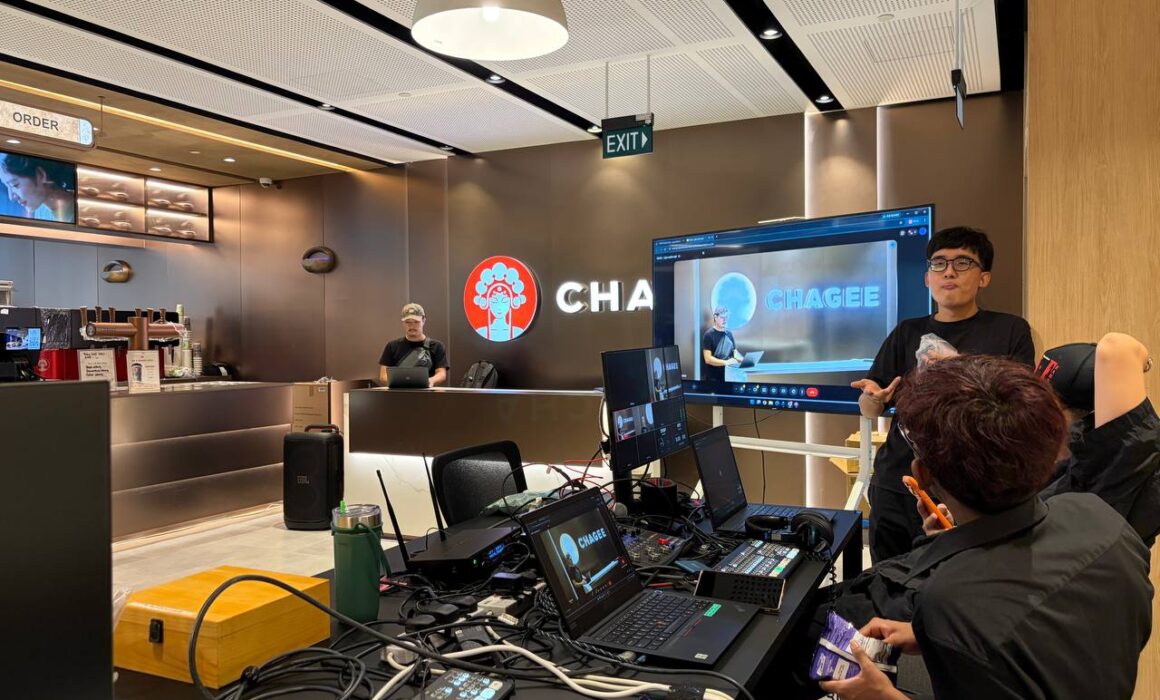
You don’t need to have every detail confirmed before you get in touch. But the more of the following you can share, the more accurate your live streaming vendor’s first quote will be. Here are the main details that will help your production team understand what you need.
1. Event date, time and venue
Let’s start with the most important details first: when is the event, how long will it run, and where is the location it will take place at?
If you have yet to confirm a venue, provide your shortlist or let the production team know that the location is still TBC. It is also useful to mention whether this is a one-off event or something recurring, like a quarterly town hall.
2. Expected audience size
Give an estimate of how many people will attend physically and how many you expect to join virtually.
It doesn’t need to be an exact number. Even saying “around 100 people in the room and 300 online” gives your production team something to work with. Audience size can influence everything from your streaming platform requirements to camera coverage and crew size.
3. Streaming platform
Let your production team know where you plan to host the live stream. This could be:
- Zoom
- Microsoft Teams
- Google Meet
- Youtube
- Your organisation’s own streaming platform
If you aren’t sure which platform is best, that is alright too. Tell your production team how you expect your audience to join, and they can advise you on the most suitable option.
4. Programme Flow
Giving your production team a simple outline of the event can make a huge difference. Let them know who will be speaking and whether your programme includes panels, presentations, Q&A sessions, product demonstrations or other key moments. For example, a two-hour keynote with one speaker may need a very different setup from a full-day conference with multiple speakers and panel discussions.
5. Technical requirements (AV support)
Whether you already have an in‑house team managing sound or need full coverage as part of the production, our crew ensures seamless audio throughout the event, from mic checks to live mixing, so that every speaker can be heard clearly.
6. Venue internet readiness
Checking whether the venue offers a stable wired connection is essential. This single detail can shape the entire live stream setup, affecting reliability, video quality, and how smoothly your broadcast runs.
Insights From The Vivid Media Team
We asked our Senior Producer, Ledon Lim, what she actually needs to see in a hybrid live stream enquiry before she can scope it properly. Her answers, in her own words, cut straight to what separates a workable enquiry from a vague one.
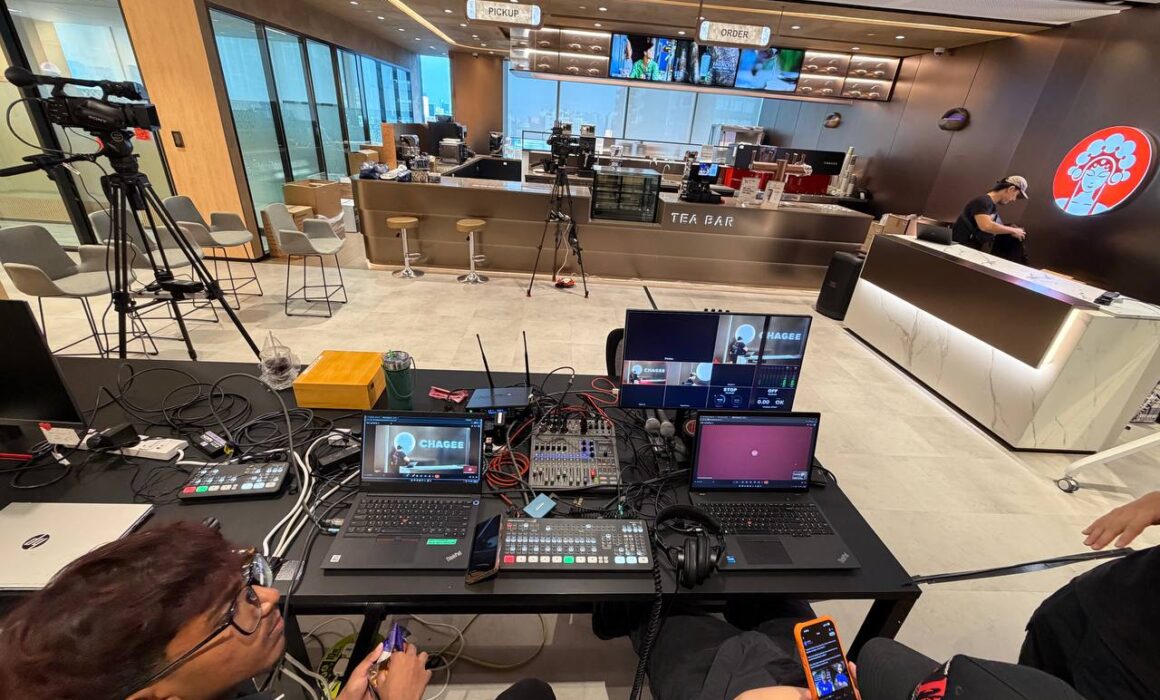
What information do you need from a client before you can give a quote for a hybrid live stream?
Ledon Lim, Senior Producer: “I would need to know if they have access to a LAN (Local Area Network) port, and if they already have an AV team in place to handle sound. Our team would then work on the video side if they do have an existing AV team. I would also want to know what platform they’re streaming to, whether they’re giving us account access to that platform, and roughly how many virtual speakers and how many physical speakers they’re expecting.”
What affects the number of cameras, crew, and internet setup needed for a hybrid event? What happens if the venue’s internet is unreliable?
Ledon Lim, Senior Producer: “Budget really plays a big part. At a minimum, we’d need one camera, but if the client is looking for more production value, I would recommend two cameras or more. We would also need a LAN (Local Area Network) port for the internet since we don’t really rely on Wi-Fi, because it’s not stable enough for a hybrid stream.”
What information do you need for a simple live stream (fully remote) as compared to a hybrid event with live Q&A or audience interaction?
Ledon Lim, Senior Producer: “The number of remote versus physical speakers, and whether a sound system is needed if it’s hybrid. We would also need to manage the live event audience experience, which means handling both the online and offline experiences at the same time.”
When would you recommend using an in-house studio instead of filming on-site? What are the main pros and cons of each option?
Ledon Lim, Senior Producer: “If the client’s office space has sound constraints, like a pantry area, or a very small space, or somewhere near an airbase where we can’t control the sound, it’s usually better to use an in-house studio like Vivid Media’s. It works well for a small streaming setup that fits three to four people, like a short panel discussion or internal training.”
What makes a hybrid live stream enquiry too vague to work with?
Ledon Lim, Senior Producer: “Not knowing internet access, not having a programme rundown, not confirming the venue, and not knowing how many people to expect physically and remotely.”
Filming On-Site Or From A Studio
That being said, not every hybrid live stream needs a full on-site production. Based on what our team sees, Vivid Media’s in-house studio tends to make sense when:
- The client’s office space has sound constraints that can’t be resolved on-site. These can be small rooms, shared pantry areas, or locations near consistent background noise.
- The event is a smaller-scale hybrid session like an internal training or a short panel discussion for three to four people.
- The production quality matters, but the scale doesn’t exactly call for a full on-site crew and setup.
On-site production still remains the better fit for larger events, multi-speaker programmes, or venues that already have suitable acoustics and a stable wired connection. Hybrid live streaming production tends to make the most sense when an event has enough scale or complexity that a single person with a laptop camera isn’t going to cut it. For example, during conferences, AGMs, product launches, and multi-day MICE events where remote stakeholders need the same level of access as those in the room.
A Sample Enquiry You Can Use
If you are unsure how to begin, you can refer to this template and your production team can follow up with the specifics from there.
“Hello, we are planning a Townhall on 12 Aug 2026 between 9am and 11am, it will be held in our office pantry. We are expecting 30 physical attendees with 500 virtual attendees. We have a sound system with wireless microphone and a mobile TV screen. We are expecting 1 remote presenter with slides. We are streaming this on our MS Teams platform.”
The essential details to include:
- Event date
- Event time and duration
- Proposed rehearsal date (usually 1 day before, or 1 week before)
- Preferred streaming platform
- Number of physical attendees
- Number of virtual attendees
- Key segments of your event
- Any panel discussions and live Q&A are involved
More Than Hybrid Live Streaming
Hybrid live streaming is just one part of what we do at Vivid Media. If you’re already planning a corporate event, we can also support the wider content needs around it. From MICE event photography and videography, with same-day edits available when you need content ready while the event is still happening, to explainer video production for MNCs looking to communicate complex products, processes or internal information clearly across teams and markets. We also produce employer branding videos that help companies showcase their people, culture and workplace to prospective employees. This means your live stream, event coverage and longer-term corporate content can be planned together rather than treated as separate productions.
Pre-Event Video Production
A hybrid event’s momentum often starts before the live stream itself goes live. We can produce a short pre-event video to set the tone. This can take the format of a welcome video that plays as attendees join the stream, a hype reel to build energy before the programme starts, or a CEO entrance video that adds weight to a keynote or product reveal. These are filmed and edited ahead of time, then queued to play at the right moment during the live stream itself. If this is something you’d like included, just mention it when you enquire so we can factor it into the production timeline alongside the rest of your event.
The 4G Misconception In Live Streaming
When faced with strict corporate network restrictions, clients often ask us to bring in a 4G mobile connection as a solution. However, relying on mobile data for a live stream comes with key considerations that are often overlooked.
- High Additional Cost: Deploying a dedicated enterprise 4G setup usually costs over $2,500. This includes equipment setup, data usage, pre-event testing, rehearsals, and actual-day support.
- Wireless Instability: No wireless connection, even an enterprise-grade one, is completely bulletproof. Mobile network signals are subject to interference and traffic fluctuations, making them inherently less stable than a fixed office network or local Wi-Fi.
- Prioritise Fixed Infrastructure: Our recommendation is always to work with your internal IT team to utilise the existing office network first. Whitelisting port access for the duration of the event provides the most stable connection possible.
- 4G as a Fail-Safe Backup: Mobile connectivity should be treated as a secondary backup connection rather than the main line. Having a 4G router on standby gives you a reliable safety net without taking unnecessary risks on your primary feed.
Understanding The Cost Of Hybrid Live Streaming
The cost of a hybrid live stream depends on the required resources. At Vivid Media, we optimise every setup to match your exact goals and budget rather than racking up unnecessary costs.
Key factors that influence pricing:
- Existing AV Infrastructure: If your venue already has a working audio system, microphones, or displays, you can save significantly. Bringing in a full external AV setup versus using on-site equipment can make a difference of about $4,000.
- Camera Angles: Single-camera coverage is budget-friendly, while multi-camera setups for dynamic speaker and audience shots require additional gear and operators.
- On-Site Crew Support: Complex events may require extra assistants for slide switching, teleprompter operation, or dedicated audio control.
- Program Complexity: Schedules with multiple remote presenters, detailed technical checks, and separate rehearsal days increase production time and labor costs.
- Streaming Platform: Using your own Zoom or MS Teams account keeps software costs at virtually $0. Dedicated third-party event platforms usually start from $1,000 before customisation and management fees.
What to expect:
- Typical live streaming production costs range from $4,000 to $25,000.
- Recurring town halls usually sit on the lower end of this range because equipment and workflows are streamlined over time.
Frequently Asked Questions
What information do I need before I enquire for hybrid live streaming production?
At minimum, your event date, venue (or shortlist), rough number of physical and virtual attendees, your streaming platform, and whether you already have an AV team in place.
When should we conduct our live stream rehearsal?
Timing depends on your team’s experience with hybrid/live stream events:
- First-Time Organisers (Recommended: 1 Week Before + Day-Before Setup)
Conducting a full rehearsal one week prior gives you ample time to troubleshoot content, timing, and workflow. A quick final tech check is then done the day before.
Note: A rehearsal held one week prior requires an extra day of crew deployment and equipment setup, which will increase your overall package cost. - Experienced Teams (Recommended: 1 Day Before)
If you are already familiar with running live or hybrid events, a single rehearsal and technical check the day before the event is usually sufficient. - For Morning Events:
Regardless of your rehearsal schedule, we strongly recommend completing all technical setup and equipment checks on the day before the event to ensure a smooth start on the morning of.
Do hybrid live streams need a wired internet connection?
Yes. A stable, wired connection point at the venue is strongly recommended over Wi-Fi, since hybrid streams depend on a consistent feed that shared wireless networks often can’t guarantee. That being said, our live streaming production team often works within your organisation or venue constraints. For instance, MS Teams and Zoom are video conferencing platforms and often remain resilient on modern office Wi-Fi connection.
How do clients usually work with you?
We focus on building long-term, trusted partnerships by managing ongoing internal events, such as monthly, quarterly, or half-yearly town halls, directly at your office.
Our typical collaboration process involves four main steps:
- Initial Inquiry
Reach out via email with your tentative date, venue, and event goals. - Requirements Clarification
We jump on a brief call or exchange details to align on your specific technical, streaming, and production needs. - Site Recce (Site Survey)
Our technical team visits your office venue to assess power, network stability, staging, lighting, and audio constraints. - Execution & Partnership
We manage the technical setup and live production on event day, building a seamless routine with your team over recurring town halls.
Ready To Enquire For Hybrid Live Streaming Production?
You don’t need to understand the technical side of live streaming before getting in touch. Even a rough idea of your venue, expected audience split, and preferred streaming platform gives our team enough to begin shaping your event plan. A clear enquiry for hybrid live streaming production gives everyone a better starting point. It also helps your production team to identify technical requirements earlier and makes it easier to build a quote around what your event actually needs. Send us what you have, and we’ll help you fill in the rest.


